Features
Local offline secure transcription
All transcription happens locally on your device, no data is sent to any server.
No internet connection? No problem.
With Apple Intelligence, you can also perform local transformation, formatting, and summarization — completely offline and private.

Use anywhere
xcribe works in any application that accepts text input. Just use your defined keyboard shortcut and start talking. Browser, Word, Email, Notes...
Auto paste into other apps is only available in the direct download version. Learn why.
Access all your transcriptions
Easy to access, search, and reuse. Want to reuse that beautiful mail you transcribed last week? Just search for it.

Summarize your day
Use the included mode "Notes" to record your thoughts during the day and always have an easy-to-access summary of your day.
This requires Extended mode to be enabled.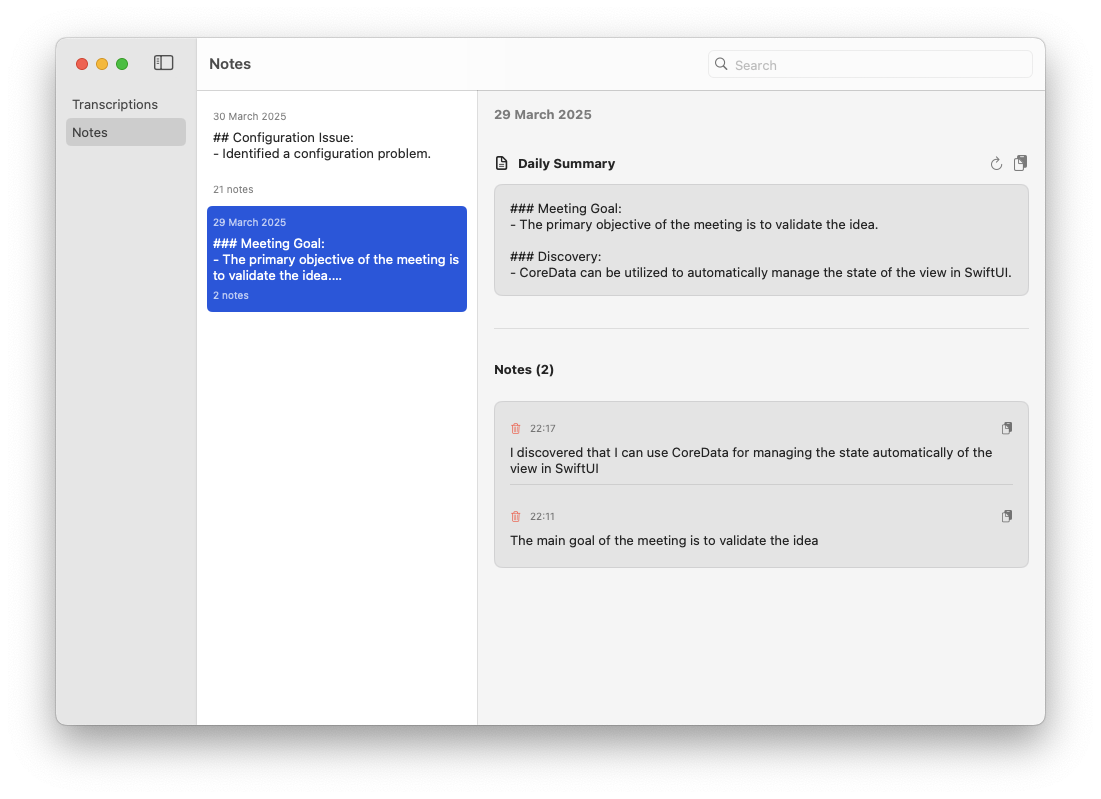
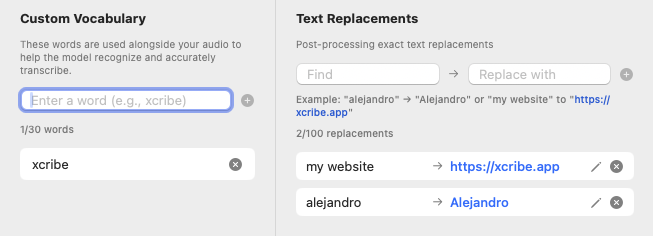
Custom Dictionary & Replacements
Add brand names, technical terms, or any words that matter to you. xcribe learns your vocabulary completely offline.
Set up rules like "alejandro" → "Alejandro" and watch your transcriptions become perfect every time.
Pro tip: You can also do "my website" → "https://xcribe.app" and save yourself some typing!
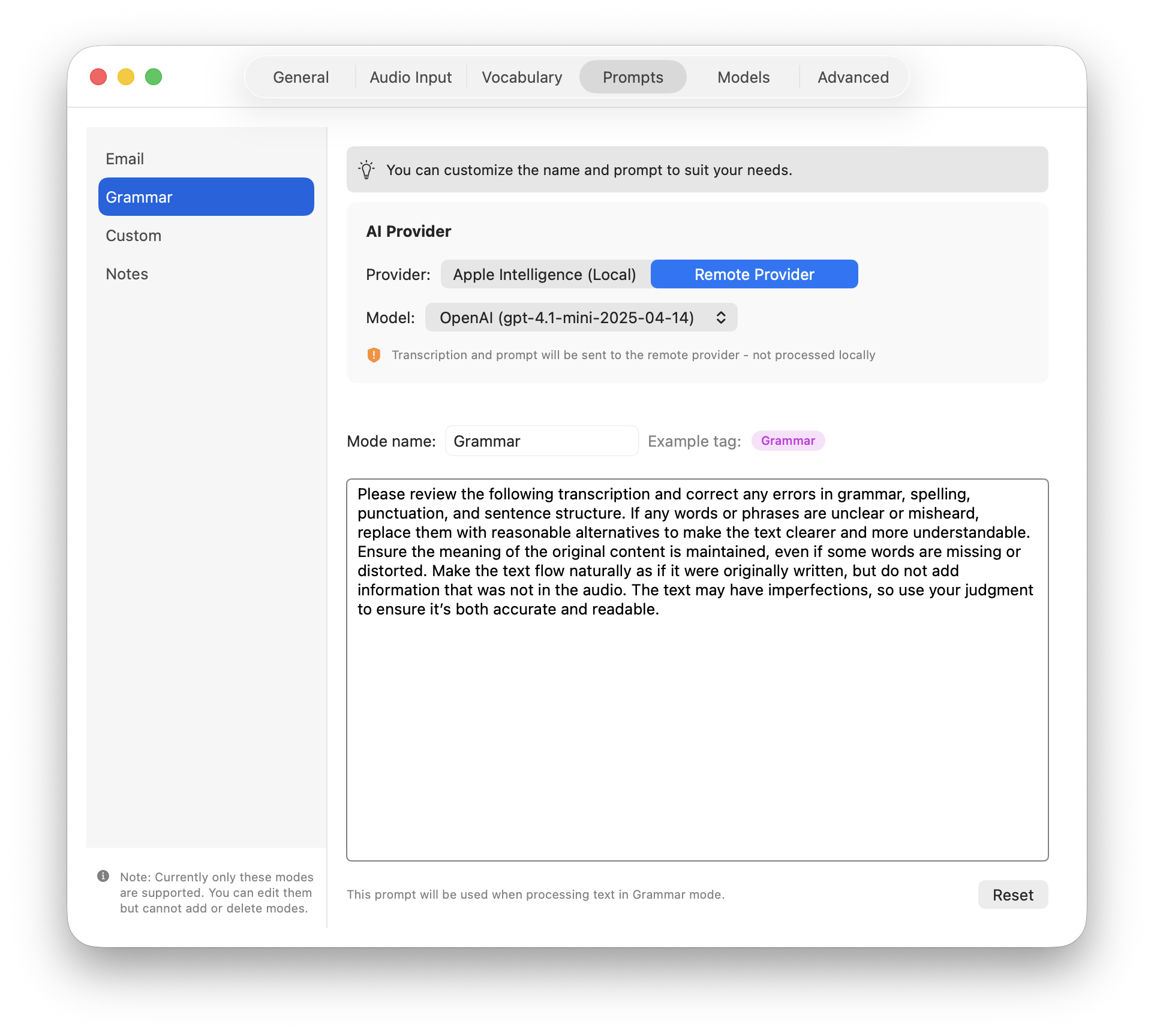
Extended mode
Configure your custom modes to format, translate, summarize, or do anything you want with your transcription.
Apple Intelligence powers local, offline transformation — your data never leaves your device. This is the most secure option and works without an internet connection.
For more advanced transformations, you can optionally connect to AI providers like OpenAI, Anthropic, or Google. Note that this sends your transcription text to external services.
Optional: Your API credentials are securely stored in Apple Keychain.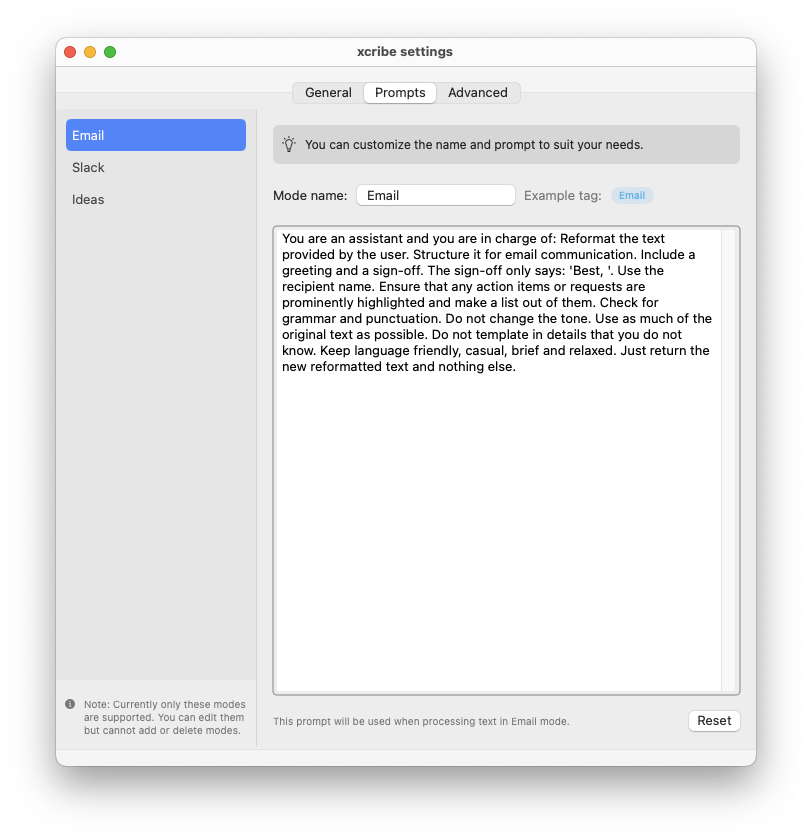
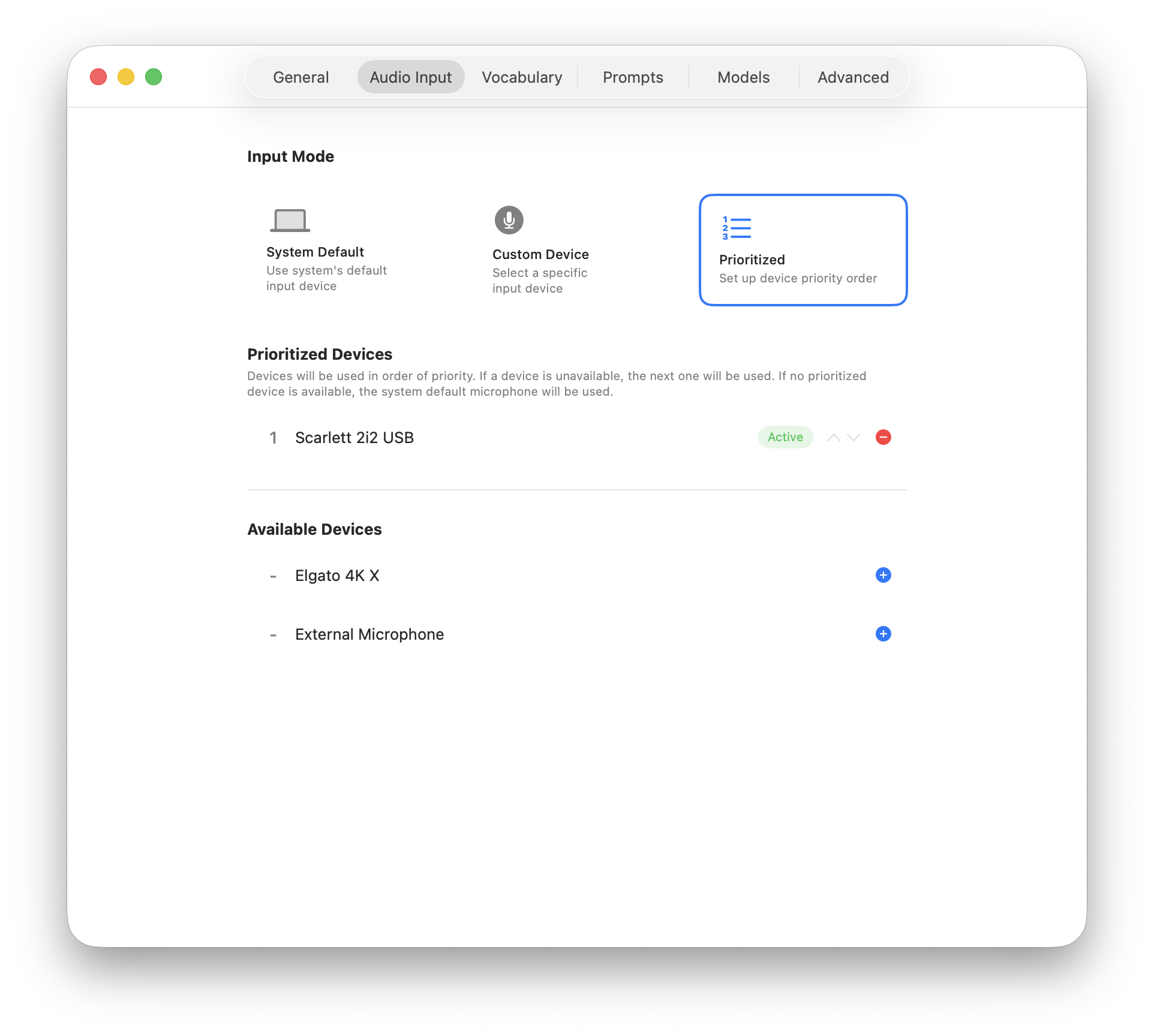
Select Audio Input Source
Choose which microphone or audio input device to use for transcription.
Whether you have a built-in microphone, external USB mic, or audio interface — xcribe works with your preferred input source.
Model Selection per Mode
Customize which AI model powers each of your modes. Choose between:
- Faster models for quick summaries
- More capable models for complex formatting
- Cost-effective models for everyday tasks
Each mode can have its own optimized model, balancing speed, accuracy, and cost.